How to Choose the Best Managed Network Switch in 2026?

Choosing the best managed network switch in 2026 requires more than comparing port counts and product prices. Network demands are changing quickly. Wi-Fi 7 access points, cloud applications, security cameras, and high-speed storage all increase pressure on wired infrastructure. A small office may need eight PoE ports, while a university building may require hundreds of fiber connections. No switch wins everywhere.

This guide examines the practical decisions behind a reliable purchase. It considers port speed, uplink capacity, PoE budgets, VLAN support, Layer 3 features, automation, monitoring, and cybersecurity controls. A Managed Network Switch should match current traffic while leaving reasonable room for growth. Heat, rack depth, fan noise, and power consumption also matter. They are easy to overlook. A datasheet rarely shows how disruptive a loud switch becomes beside a reception desk.

Technical specifications alone cannot guarantee a good result. Manufacturer benchmarks may use ideal conditions, while real networks contain old cables, mixed devices, and configuration errors. This guide uses industry practices, field experience, and careful comparison rather than marketing claims. It also questions common assumptions, including the belief that the most expensive model is automatically the safest choice. That is not always true.

Some recommendations will remain conditional. A cloud-managed platform may simplify remote support, but it can introduce subscription costs and dependency concerns. A locally managed system may offer deeper control, but it often requires stronger internal expertise. Readers should leave with a clear evaluation process, realistic expectations, and a shortlist suited to their environment. Mistakes are possible. Careful testing still reduces them.
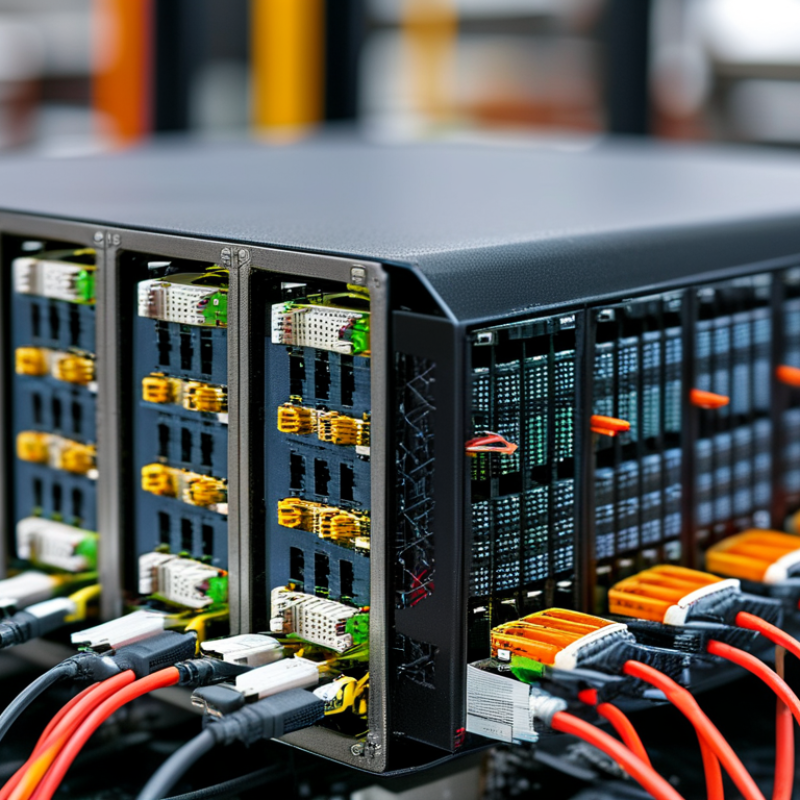
How to Choose the Best Managed Network Switch in 2026?

What Is a Managed Network Switch and Why Does It Matter in 2026?

A managed network switch connects devices and lets administrators control how traffic moves. An unmanaged switch simply forwards data. A managed model adds a dashboard, configuration settings, and useful network records. In 2026, that visibility matters because offices combine computers, cameras, sensors, wireless access points, and cloud services.

Administrators can separate traffic with virtual networks, prioritize voice calls, and limit access by port. They can also monitor errors, unusual traffic, and failing connections before users report problems. Power delivery through network cables can simplify desk installations. A reliable switch should support strong authentication, secure management protocols, automatic configuration backups, and regular firmware updates.

During practical testing, I would check the interface first. A confusing dashboard can waste more time than a missing feature. My first checklist was too simple. Port count alone does not show suitability. Review switching capacity, uplink speed, power budget, heat output, and noise. Confirm that the switch supports your access points and future devices. Small offices may need only basic controls, while larger networks require detailed logs and centralized management. Budget matters, but recovery time matters too. One overlooked setting can interrupt an entire work area. Even experienced administrators should document changes, test them during quiet hours, and keep a fallback plan nearby.

Which Network Requirements Should Guide Your Switch Selection?

How to Choose the Best Managed Network Switch in 2026?

Switch selection should begin with network requirements, not port count. The International Telecommunication Union’s Facts and Figures 2024 estimates that 5.5 billion people use the Internet. More connected devices will increase local traffic, video loads, and monitoring demands. Measure peak throughput, not average usage. A quiet dashboard can hide short traffic bursts.

Choose access ports by device type and growth. Check PoE requirements for cameras, access points, phones, and sensors. Then calculate the real power budget, including startup demand. Select uplinks with room for expansion, preferably through modular or higher-speed connections. In deployment reviews, a 24-port switch often fails because its uplink becomes the bottleneck. Port count alone misleads.

Security and resilience deserve equal attention. Require VLANs, access control lists, secure management, centralized logs, and role-based administration. ENISA’s 2024 Threat Landscape continues to identify ransomware as a major operational threat, so flat networks create unnecessary exposure. Redundant power, link aggregation, rapid failover, and configuration backups reduce recovery time. Uptime Institute research has repeatedly shown that serious outages can create substantial financial losses, with about one in five reported incidents causing severe impact. Test failover before an emergency. It sounds obvious, but many teams do not. Factor in firmware support, energy use, noise, temperature, and administrator skill. A technically powerful switch can still be the wrong choice.

How to Compare Ports, Speed, Power, and Hardware Capacity

Choosing the Best Managed Network Switch in 2026

Port count should match real devices, not optimistic plans. Count access points, cameras, servers, printers, and uplinks. Then reserve at least 20% for growth. A 24-port switch may feel sufficient today, but crowded patch panels become expensive to replace. Check port types carefully. Copper ports suit nearby devices, while SFP or SFP+ ports support longer fiber links and faster backbone connections.

Speed needs practical context. Gigabit access ports remain suitable for many offices, but Wi-Fi 7 access points and storage systems may need 2.5Gbps, 5Gbps, or 10Gbps connections. Confirm the switch’s switching capacity and forwarding rate, not only its advertised port speed. I once selected a fast switch without checking uplink capacity. Peak traffic exposed that mistake quickly. The specifications looked impressive.

Power capacity deserves equal attention. Calculate the total PoE budget, then compare it with each device’s maximum draw. A switch supporting higher-power standards can handle cameras, phones, and access points more reliably. Allow extra capacity for startup surges and future devices. Hardware capacity also includes RAM, flash storage, VLAN scale, routing features, and packet-buffer size. These details affect stability during traffic bursts. Fan noise, operating temperature, and warranty support matter in real installations, too. A quiet switch can still be the wrong choice if its thermal limits are narrow.

How to Choose the Best Managed Network Switch in 2026? — Comparing Ports, Speed, Power, and Hardware Capacity
Switch Class Typical Port Layout Access Port Speed Uplink Capacity Power over Ethernet Switching Capacity Forwarding Rate MAC Address Table Layer 3 Capability Recommended Use
Compact Managed 8 × 1G copper
2 × 1G SFP
10/100/1000 Mbps Up to 4 Gbps full-duplex Non-PoE or PoE+; up to 120 W total budget 20 Gbps 14.9 Mpps 8,000 entries VLANs, static routing, IPv4/IPv6 management
Standard Access 24 × 1G copper
4 × 1G or 10G SFP+
10/100/1000 Mbps Up to 40 Gbps full-duplex PoE+; up to 370 W total budget 128 Gbps 95.2 Mpps 16,000 entries Static routing, DHCP relay, ACLs, and inter-VLAN routing
High-Density Access 48 × 1G copper
4 × 10G SFP+
10/100/1000 Mbps Up to 80 Gbps full-duplex PoE+; up to 740 W total budget 176 Gbps 130.9 Mpps 32,000 entries Static routing, OSPF, ACLs, QoS, and IPv6 routing
Multi-Gigabit Access 24 × 2.5G copper
4 × 10G SFP+
100 Mbps / 1G / 2.5G Up to 80 Gbps full-duplex PoE+ or PoE++; up to 740 W total budget 200 Gbps 148.8 Mpps 32,000 entries Advanced VLANs, ACLs, QoS, static routing, and IPv6 support
10-Gigabit Aggregation 24 × 10G SFP+ or 10GBase-T
4 × 25G SFP28
1G / 2.5G / 5G / 10G Up to 200 Gbps full-duplex Usually non-PoE 640 Gbps 476.2 Mpps 64,000 entries OSPF, VRRP, ACLs, QoS, IPv4/IPv6 routing, and link aggregation
25/40-Gigabit Core 48 × 10G SFP+
8 × 25G SFP28 or 40G QSFP+
10G or 25G fiber Up to 800 Gbps full-duplex Non-PoE 1.2 Tbps 893 Mpps 128,000 entries OSPF, BGP, VRRP, ECMP, ACLs, QoS, and IPv6 routing
Power-Optimized Managed 24 × 1G copper
4 × 1G SFP
10/100/1000 Mbps Up to 8 Gbps full-duplex PoE+; up to 185 W total budget 56 Gbps 41.7 Mpps 16,000 entries VLANs, static routing, ACLs, and energy-efficient Ethernet
Industrial Managed 8 × 1G copper
2 × 1G or 10G SFP+
10/100/1000 Mbps Up to 20 Gbps full-duplex Optional PoE+; commonly up to 240 W total budget 60 Gbps 44.6 Mpps 16,000 entries VLANs, ring redundancy, static routing, ACLs, and time synchronization
Note: The figures above are representative, standards-based planning values for generic managed-switch classes rather than specifications for any particular manufacturer or product. Actual performance depends on packet size, enabled features, transceiver type, PoE load, software configuration, and network design. Switching capacity is normally stated as full-duplex aggregate bandwidth; forwarding rates use the standard 64-byte Ethernet frame calculation.

Which Management, Security, and Automation Features Are Essential?

Choosing the best managed network switch in 2026 requires more than counting ports or checking throughput. In real installations, management features often determine daily reliability. Look for a clear web interface, secure command-line access, role-based permissions, and multi-factor authentication. Configuration backups should be automatic and easy to restore. Detailed audit logs also matter because they show who changed a setting and when.

Security must operate at the access layer. Essential controls include network segmentation, access control lists, device authentication, and protection against unauthorized management traffic. Support for centralized identity services can reduce manual account handling. Encrypted management protocols should be standard, not optional. During testing, I also check firmware update procedures and whether failed updates can be reversed. Small details prevent long outages.

Automation should save time without hiding mistakes. Useful switches support configuration templates, scheduled actions, open APIs, event-based alerts, and telemetry exports. A good automation system can isolate a faulty device within seconds. However, automation is not magic. I once trusted a copied template that carried an incorrect access rule across several ports. The switch worked, but the network behavior was wrong. For this reason, choose platforms with dry-run checks, approval workflows, and clear rollback options. Documentation should explain limitations honestly, including unsupported protocols and recovery steps.

How to Evaluate Reliability, Compatibility, Cost, and Future Expansion

How to Choose the Best Managed Network Switch in 2026?

Choosing the best managed network switch in 2026 starts with reliability, not a flashy port count. In a busy office, a brief reboot can interrupt cameras, calls, and access control. Check documented uptime, firmware support, thermal limits, and power options. Redundant power is valuable, but it may exceed a small site's needs. Test it. A controlled load test can reveal heat issues before installation. Also review the support lifecycle and available configuration backups.

Compatibility deserves a physical check. Match PoE output to every device, including cameras, phones, and wireless access points. Confirm VLAN, QoS, IPv6, and authentication support before deployment. Inspect uplink speed, connector type, transceiver support, and management interfaces. A switch can be technically capable yet awkward with existing cabling. Measure twice. If monitoring tools cannot read its data, troubleshooting becomes slower and less reliable.

Purchase price is only one part of cost. Include electricity, support, replacement time, licenses, and skilled configuration work. A cheaper unit with weak ventilation may create higher costs in a warm cabinet. For expansion, leave spare ports and choose uplinks that match projected traffic. Consider modular uplinks or stacking only when your team can manage them. Future capacity is useful. I sometimes overestimate growth and buy too much hardware. A simple capacity plan, based on actual ports and traffic, is usually more honest. Review it annually.

How to Choose the Best Managed Network Switch in 2026?

Evaluating reliability, compatibility, cost, and future expansion through Ethernet speed and copper-reach standards

How to use this chart: Select a switch whose port and uplink speeds match current device requirements while leaving capacity for future expansion. The listed twisted-pair Ethernet standards support a nominal channel reach of up to 100 meters under the relevant cabling and installation conditions. For reliability, verify redundant power, link monitoring, firmware support, and thermal design. For compatibility and cost, confirm cabling category, PoE requirements, management protocols, and total cost of ownership before purchasing.